


MEDical Imageanalysis withMachine Learning

An all-in-one open-source software designed to enhance synergy between computer scientists and clinical researchers in the field of radiomics. Transform medical images into insightful knowledge: explore, analyze, and extract with MEDiml.

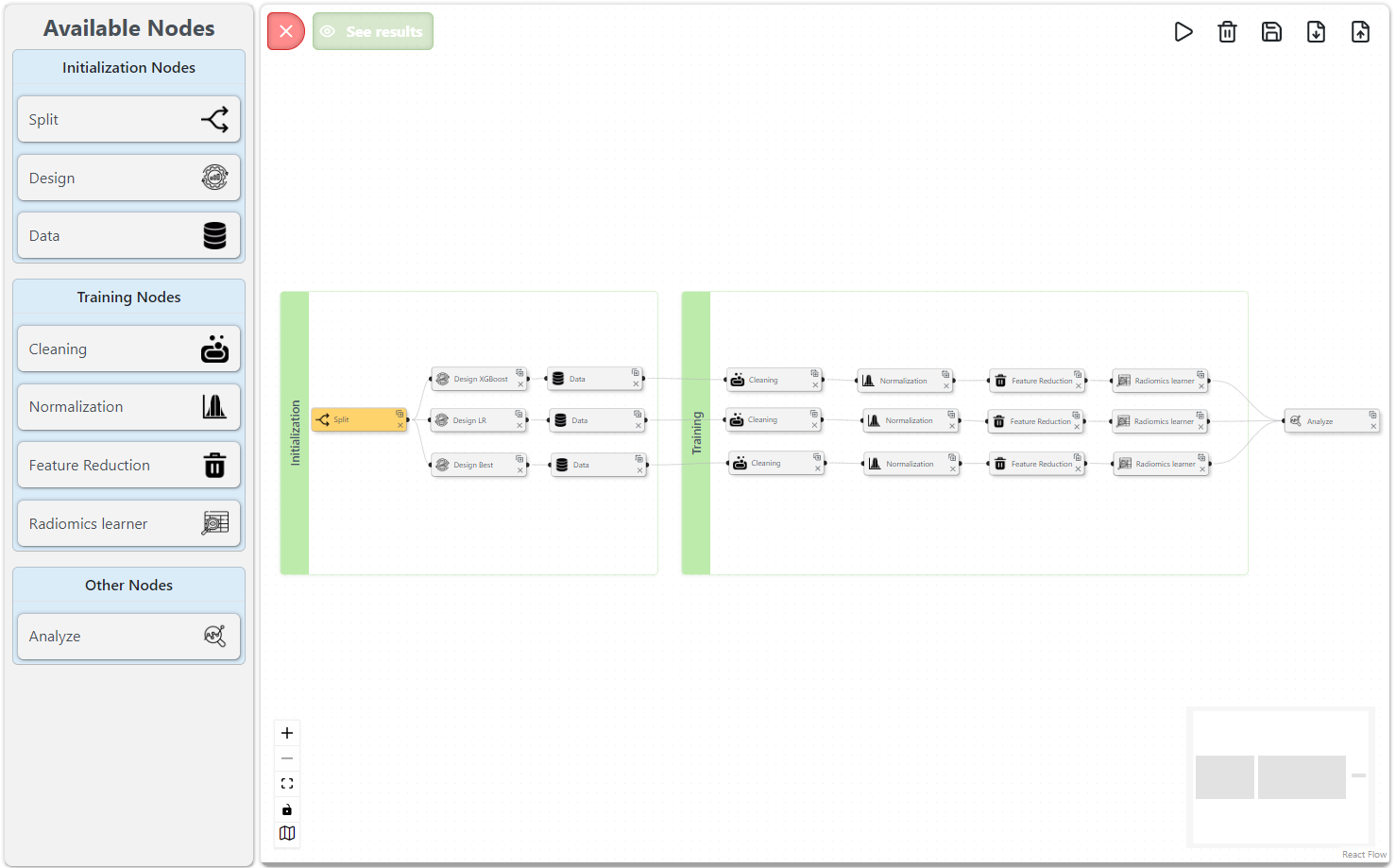
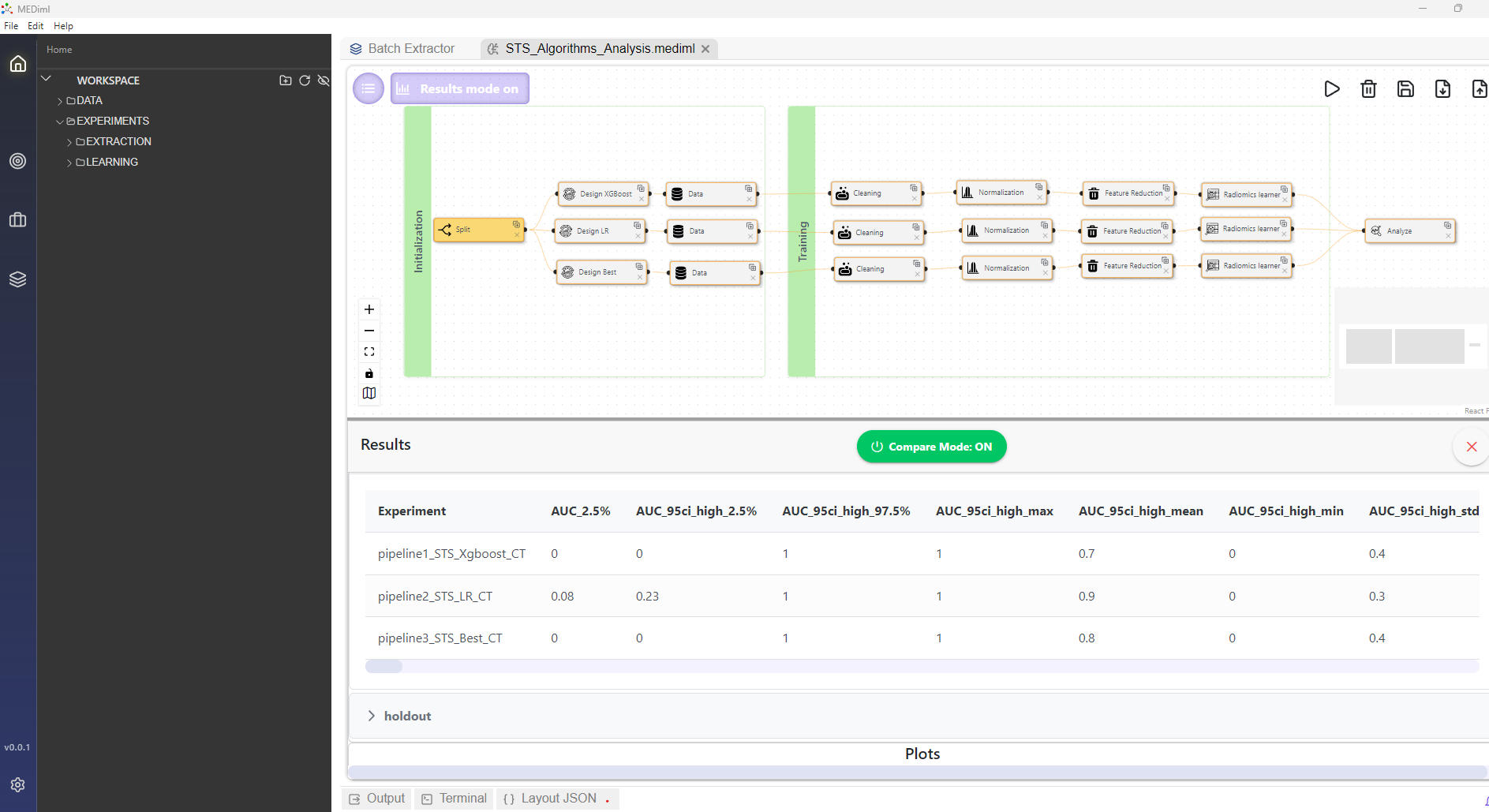
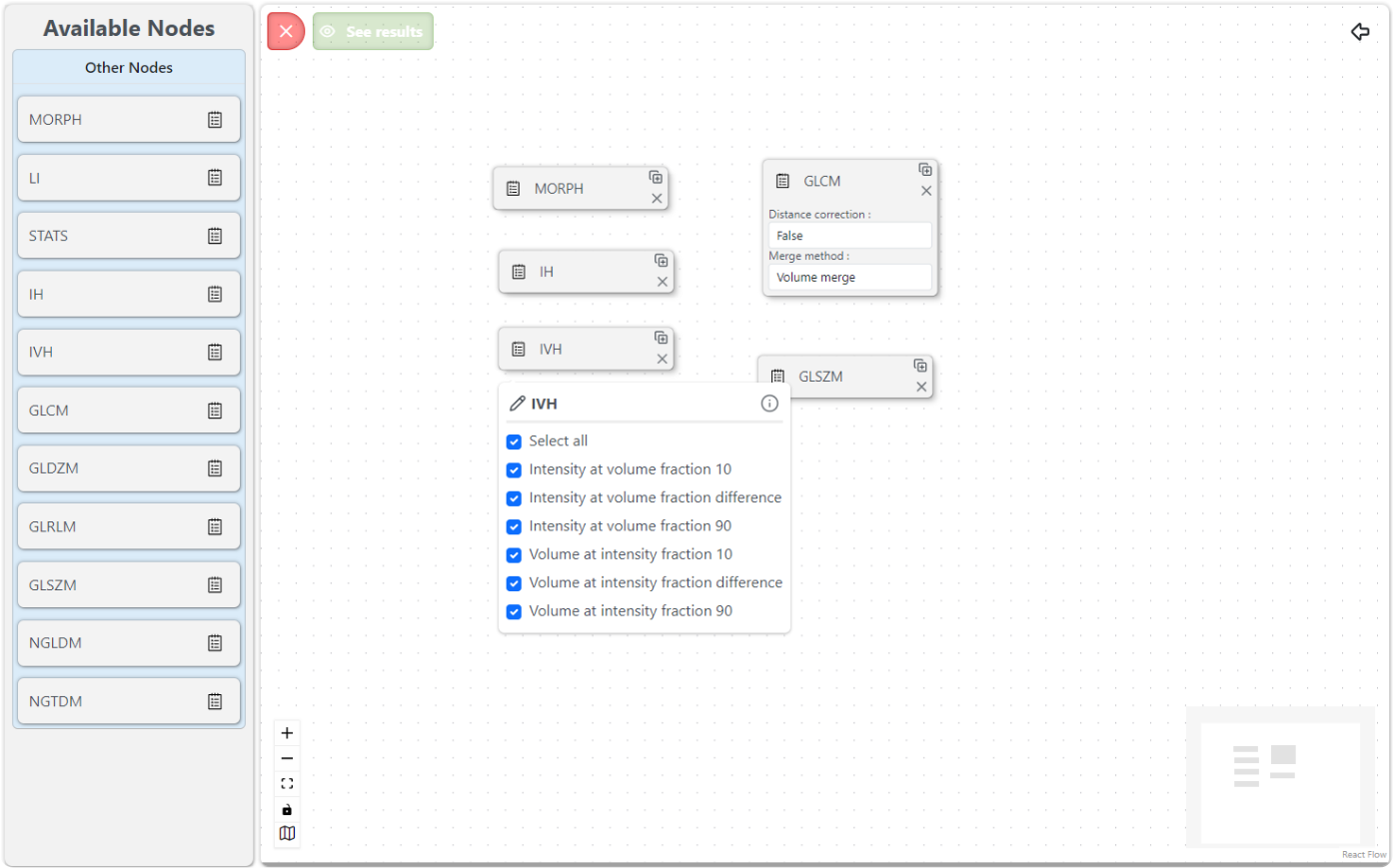
A MEDiml learning pipeline assembled from drag-and-drop nodes
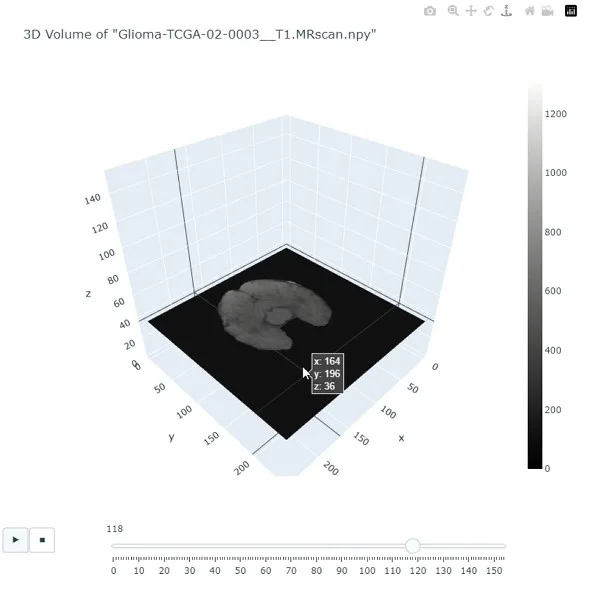
A 3D glioma MR volume opened in the MEDiml image viewer
IBSI-Compliant Radiomics AnalysisNo Coding Required

In partnership with

  • MEDomicsLab
  • Université de Sherbrooke
  • McGill University
  • Unité de soutien SSA Québec

Transform Medical Images into Insights

Watch our introduction video to learn how MEDiml streamlines radiomics analysis with its powerful dual-component architecture.

  1. 01

    Code-Free Interface

    Intuitive drag-and-drop interface for medical image analysis

  2. 02

    Python Package

    Flexible code-based solution for advanced customization

  3. 03

    IBSI Compliant

    Adheres to international radiomics extraction standards

The research behind MEDiml

Explore the methodology that powers MEDiml, published on arXiv and developed to simplify radiomics predictive modeling.

MEDiml logo

Medical Image Analysis with Machine Learning (MEDiml): Strategies for Simpler Radiomics

MEDiml combines a Python package (MEDiml-pkg) and a graphical desktop application (MEDiml-app) for radiomics workflows. The two interfaces share a computational engine, and users can export workflows built in the desktop interface as Python code. Feature extraction follows IBSI standards. The software compares models built from progressively more complex feature groups and selects the simplest group whose performance is not significantly surpassed. Across five oncological datasets containing 2,104 scans, reported AUCs ranged from 0.65 to 0.82; shape or intensity features were sufficient for four tasks.
2610.37715.pdfOpen

If the PDF does not load in your browser, use Download PDF or view it on arXiv.

From Images to Insights

Load medical images, configure extraction parameters, extract IBSI-compliant radiomics features, train models, and export results, all in one platform.

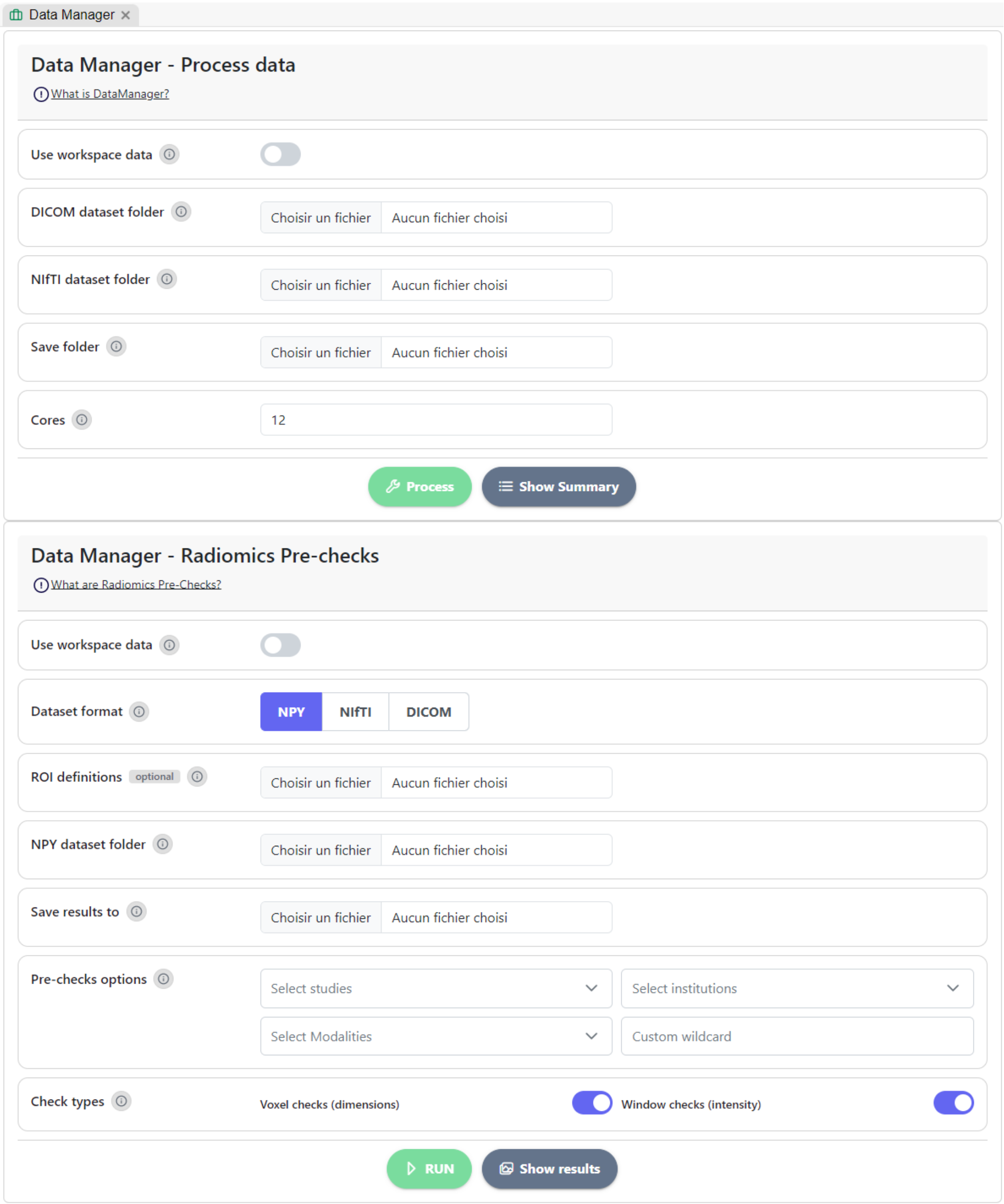
Loading medical images in the MEDiml data manager
  1. Loading medical images in the MEDiml data manager
    01

    Load Medical Images

    Import DICOM or NIfTI scans along with segmentation masks. MEDiml supports widely used medical imaging formats.

  2. Exploring a 3D scan in the MEDiml image viewer
    02

    Explore Your Data

    Visualize scans and ROIs, inspect metadata, and review data statistics before extraction.

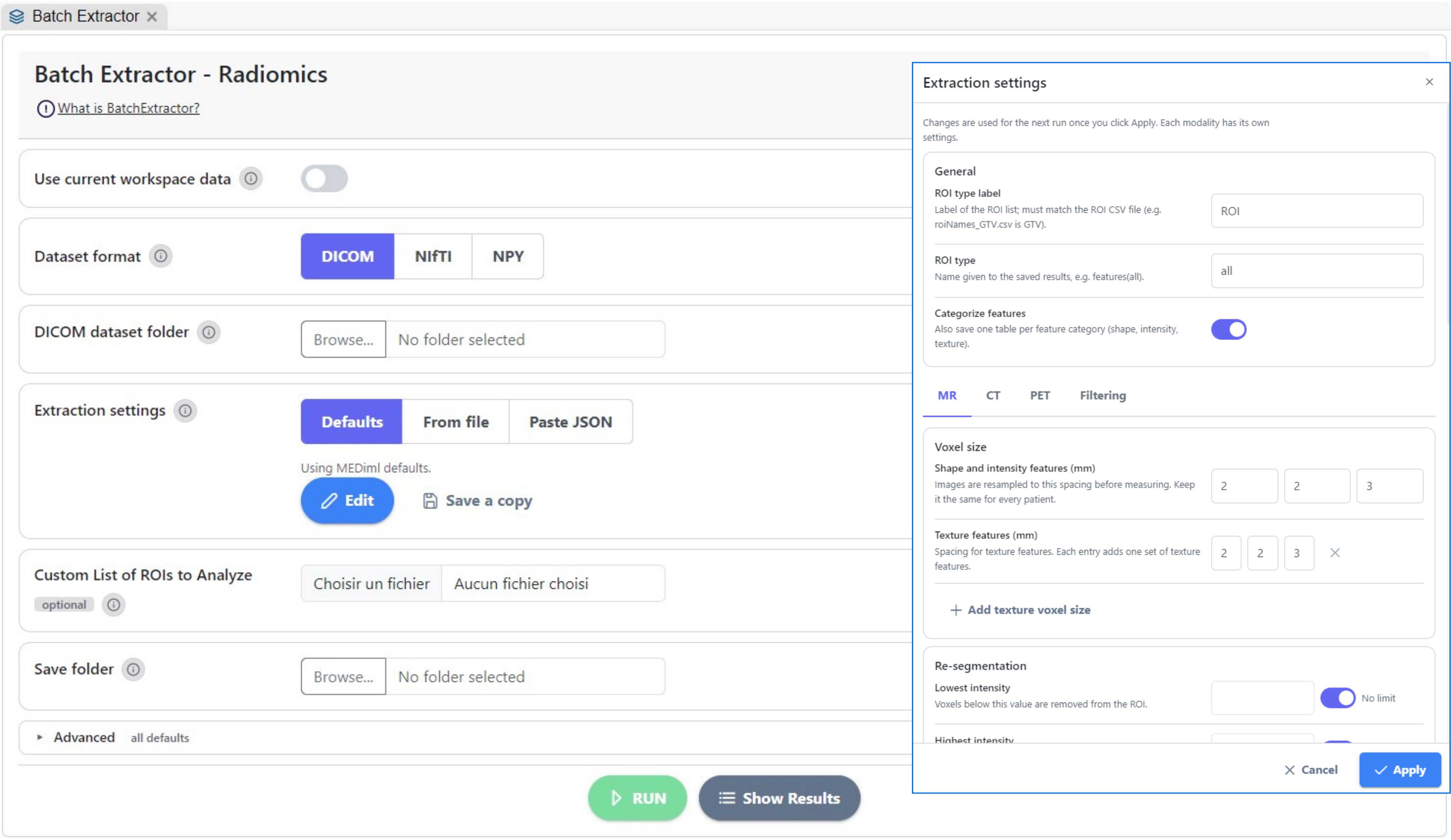
  3. Choosing radiomics feature families in MEDiml
    03

    Configure Extraction

    Set up IBSI-compliant radiomics feature extraction parameters. Customize filters, discretization, and feature families.

  4. A MEDiml radiomics extraction pipeline
    04

    Extract Features

    Run batch extraction on individual scans or entire datasets. Features are computed following the IBSI workflow.

  5. A MEDiml model training pipeline
    05

    Train Models

    Use extracted features to train predictive models. MEDiml offers tailored functionalities for model training and validation.

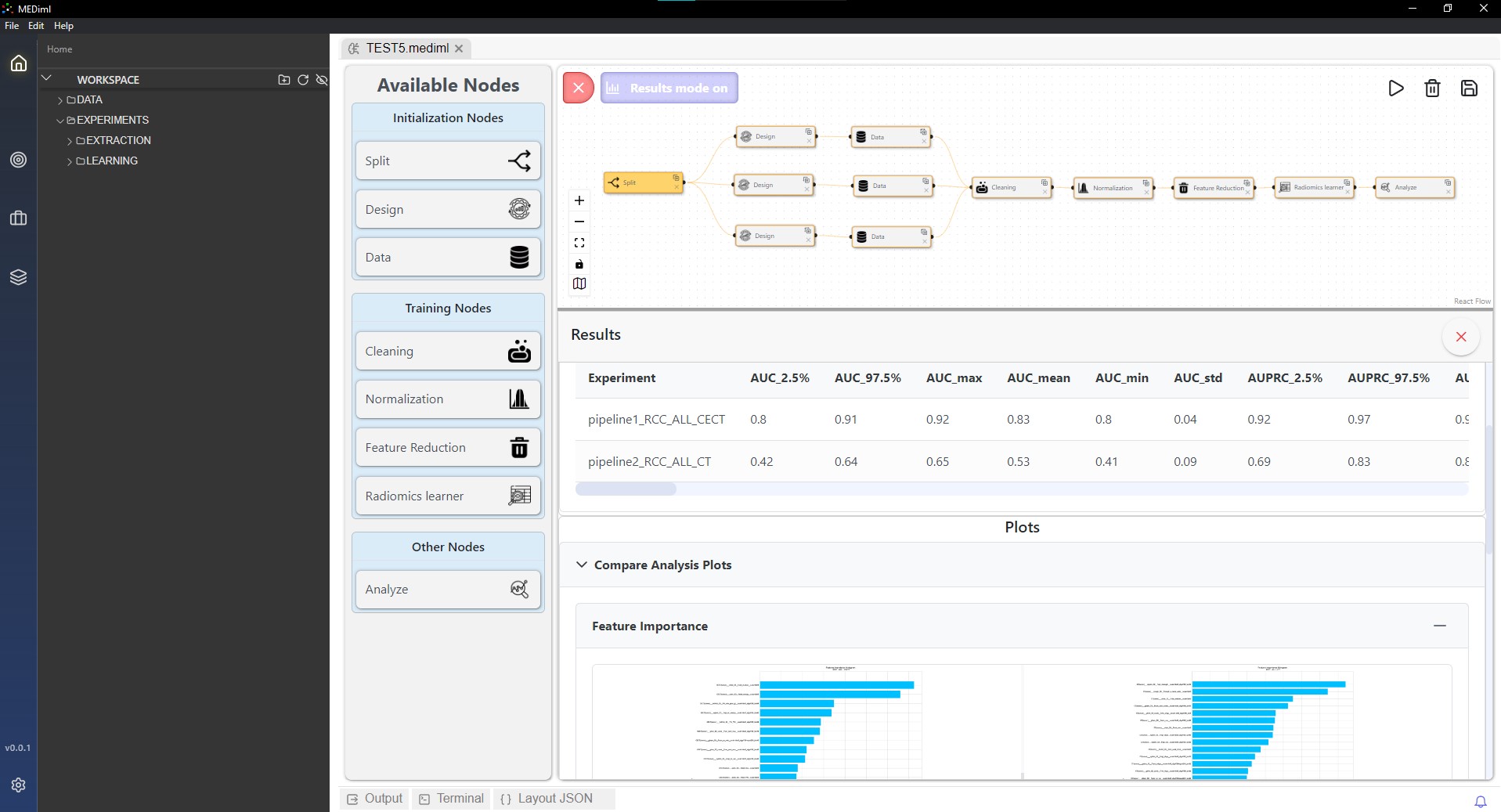
  6. Comparing experiment results in MEDiml
    06

    Analyze & Export

    Visualize results, compare experiments, and export features and models for reproducibility and clinical research.

Radiomics Analysis in 4 Steps

Load images, configure extraction, extract IBSI-compliant features, and train models for clinical insights.

  • Import DICOM or NIfTI scans with their segmentation masks into MEDiml.

  • Set up radiomics feature extraction parameters and run feature extraction on single scans or entire datasets.

  • Build predictive models and export results for clinical research.

  • Turn your graphical workflow into executable code for reproducibility and collaboration.

Analyze your images now

Use MEDiml-pkg as a Python package or install the MEDiml-app desktop application. No Python knowledge required: enjoy an all-in-one interface for medical image analysis with drag-drop style radiomics analysis.

MEDiml-app

v1.0.0, pre-release

Troubleshooting

  • macOS users: required step

    MEDiml-app is not notarized by Apple. After installing the app and before opening it, run this command in the Terminal:

    bash
    sudo xattr -cr /Applications/MEDiml-app.app

Learn MEDiml, two ways

Guided videos and a hands-on proof of concept for MEDiml-app, step-by-step guides for MEDiml-pkg.

Learn MEDiml-app

Desktop application

Watch the full MEDiml-app playlist for a step-by-step introduction, from loading medical images and radiomics feature extraction to model training and results analysis.

Learn MEDiml-pkg, step by step

Python package

Follow focused, practical guides to get MEDiml-pkg running, from pip install to radiomics feature extraction and model training.

bash
pip install MEDiml